Design Sprint
AI Tools Used
Product Designer
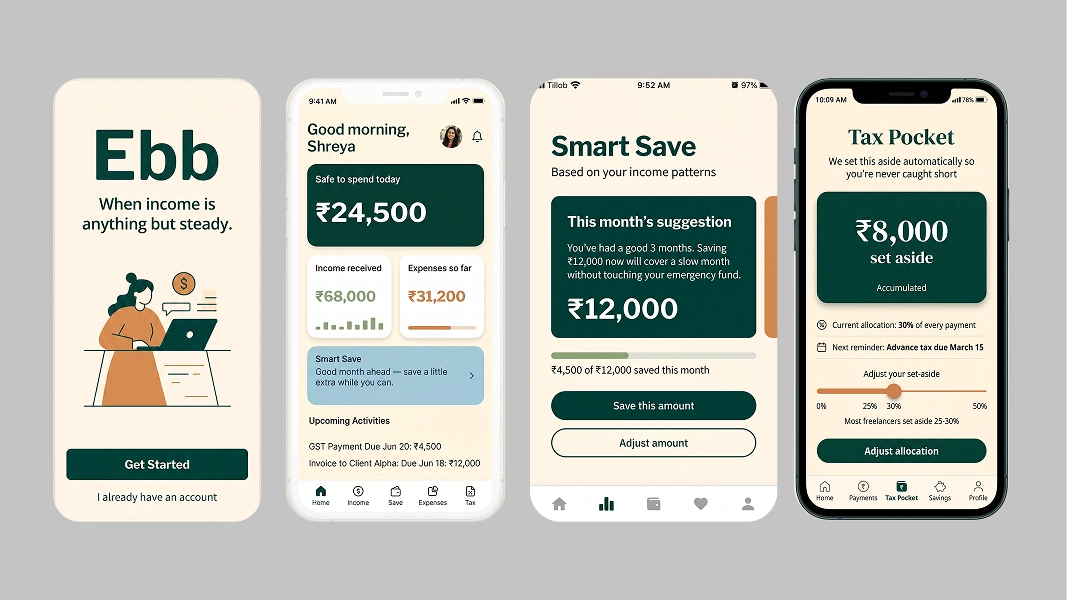
Ebb is a smart income management app for freelancers — designed to solve the financial problem that every existing budgeting tool ignores: irregular income.
Revolut assumes you get paid on the 1st. QuickBooks treats your finances like a small business ledger. Wave is free but emotionally cold. None of them understand that a freelancer might earn ₹1.5 lakh one month and ₹30,000 the next — and needs to plan accordingly.
Ebb gives freelancers one thing above everything else: a number they can trust.
"When income is anything but steady."
This project was a deliberate experiment: use AI tools at every stage of the design process, document what worked, and be honest about where human judgment was still irreplaceable.
Every tool was free. Every output was refined by human judgment.

Competitor analysis, user personas, UX copy, feature prioritization

Simulated user interview responses for research validation

AI-generated sitemap and information architecture starting point

Color palette generation trained on designer preferences
AI font pairing for typography system

Mood board and visual direction exploration

AI wireframe generation from text descriptions

Visual design, component system, and prototype

Freelancers never know their real safe-to-spend figure. Balance is not safe to spend. Safe to spend accounts for upcoming expenses, tax obligations, savings targets, and the possibility of a slow next month.

High income months don't feel secure because a slow month could follow. The emotional experience of freelance finances is anxiety regardless of current balance.

Freelancers are responsible for their own taxes but most don't set money aside proactively. By tax season, the money is gone.

WhatsApp to chase invoices. Notes to track what's owed. Bank statement to confirm what arrived. There's no single place to see everything.

"Save 20% of your income" is built for salaried employees. For a freelancer, 20% means something completely different every month.

Beautiful UI, strong analytics. Designed entirely for salaried income. Budgets assume a fixed monthly payment. No freelance-specific features.

Solves the tax problem, ignores the human problem. Feels like accounting software. Dated UI, steep learning curve, US-focused.

Genuinely free and functional. No smart savings, no income prediction, no mobile-first experience. Users use it because it's free, not because they love it.

Gets emotional design right — feels like a friend. Still built for employees. No irregular income management, no tax pocket, no self-employment awareness.
The only tool designed specifically for the emotional and financial reality of irregular freelance income.

Earns ₹45,000–₹1,80,000/month. Tracks income in Notes. Guesses at taxes. Made more money this year than ever and stressed about money more than ever.
"I made more money this year than ever before. I also stressed about money more than ever before. Those two things shouldn't both be true."

Earns $800–$3,500/month across INR and USD clients. Uses a spreadsheet, Wise, and a separate savings account. Knows January is always slow. Forgets to save in December every single year.
"I've been doing this for five years. I should have figured out the money thing by now. I haven't."
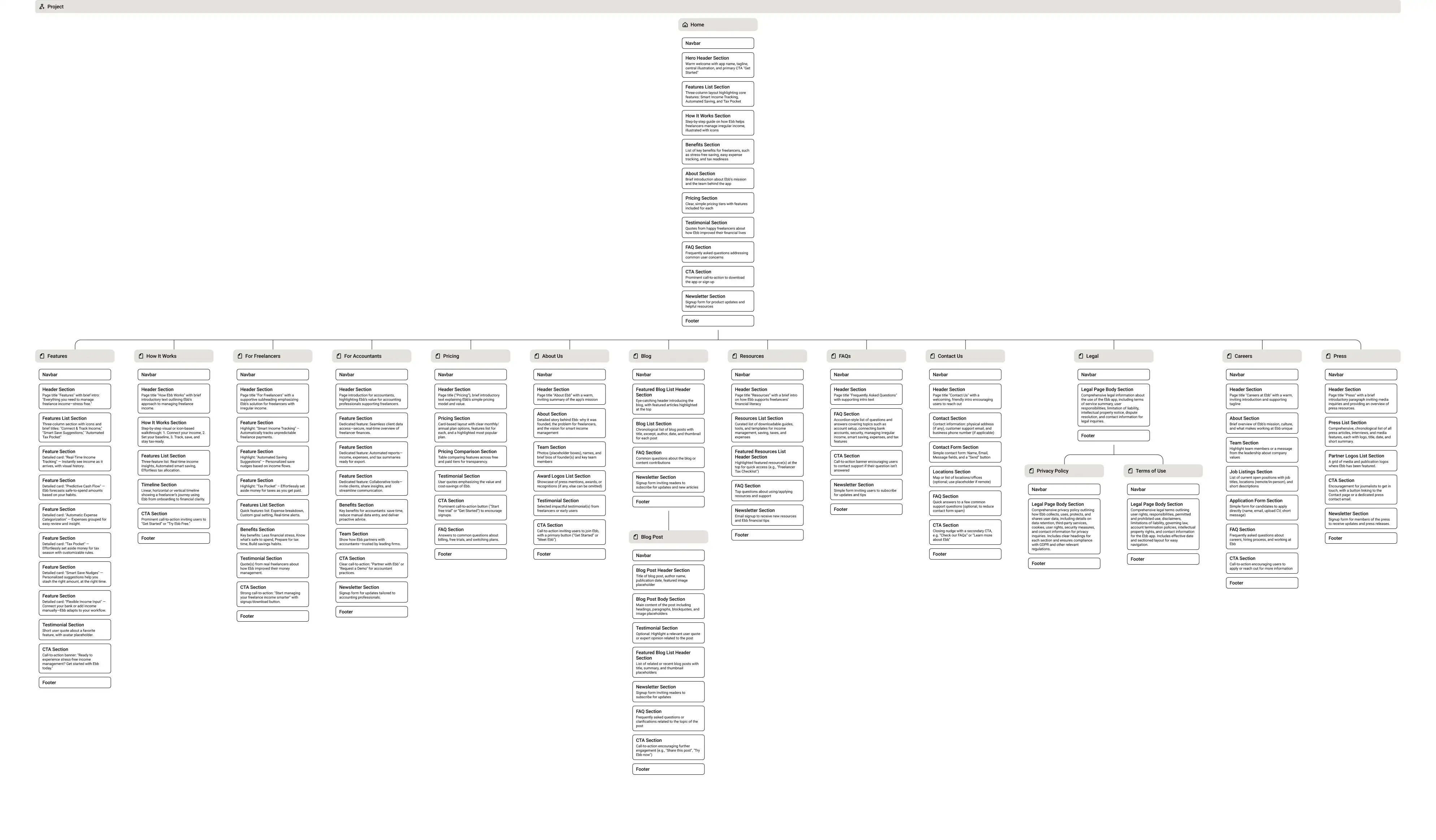
I used Relume to generate an initial sitemap from a text prompt — describing Ebb's core features and target user. The AI produced a reasonable starting structure that I then refined based on the research insights.
What Relume got right
The core navigation structure — Dashboard, Income, Savings, Expenses, Tax — mapped closely to what the research suggested users needed.
What I changed
Relume suggested a separate "Reports" section. I removed it — Ebb is not an accounting tool. Everything a freelancer needs to feel in control should be visible on the dashboard, not buried in a reports tab.
This is where AI as a starting point — not a final answer — showed its value most clearly.

Trained on warm, trustworthy, calm tones. Selected a palette anchored in deep teal with warm amber accents — financial enough to feel credible, warm enough to feel human. Not the cold blue of traditional banking.
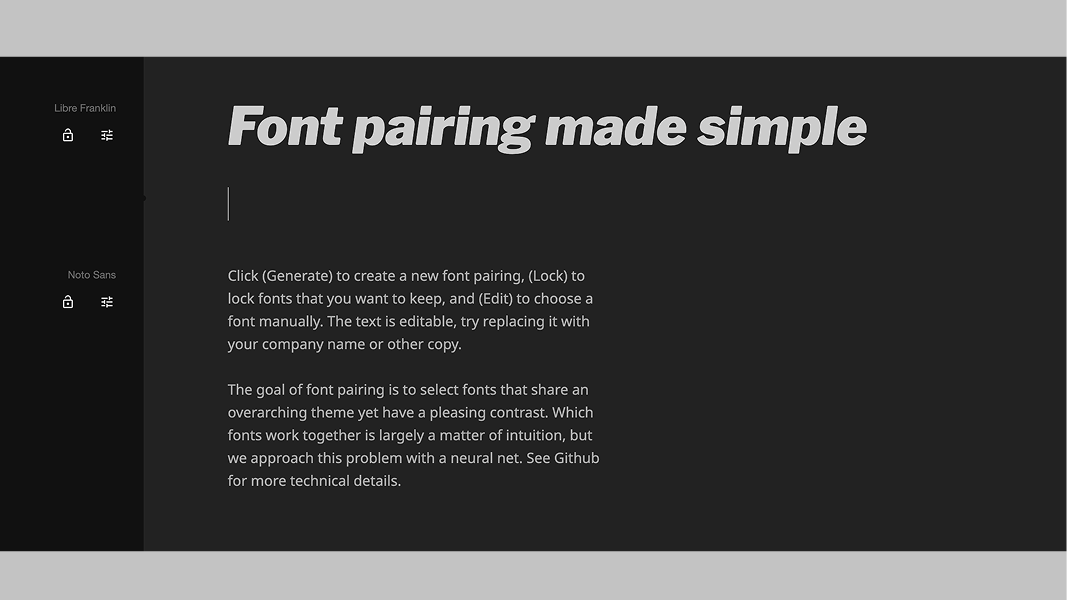
(Libre Franklin-Noto Sans) A geometric sans for headings — confident and modern. A slightly warmer secondary for body text — readable and approachable. The combination feels considered without being clinical.
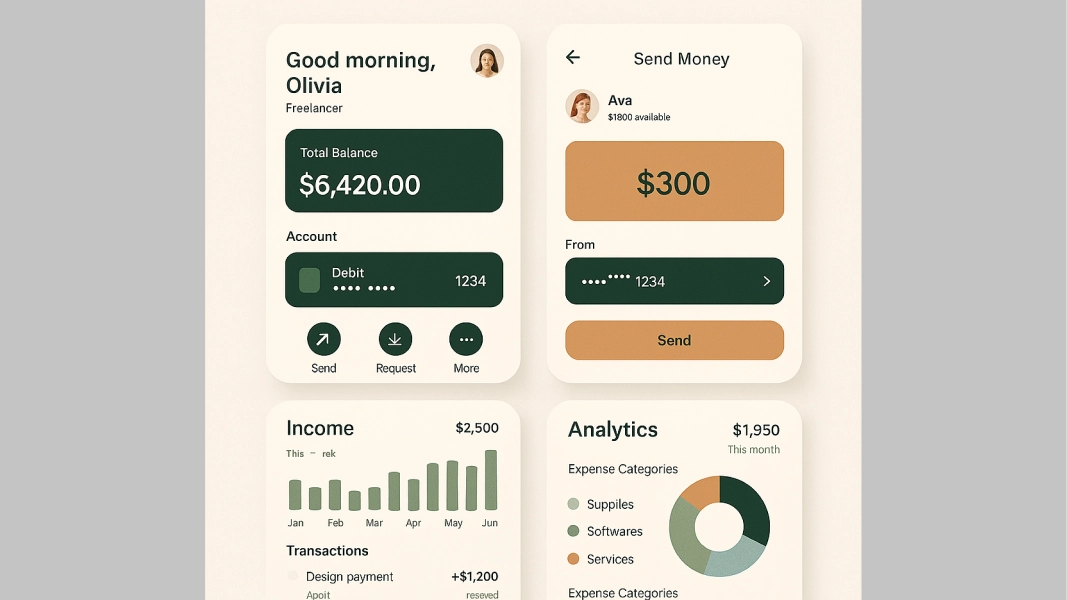
The visual direction: calm, warm, minimal. A product that feels like it's on your side — not judging your spending, not overwhelming you with data. Like a financially savvy friend, not a bank.
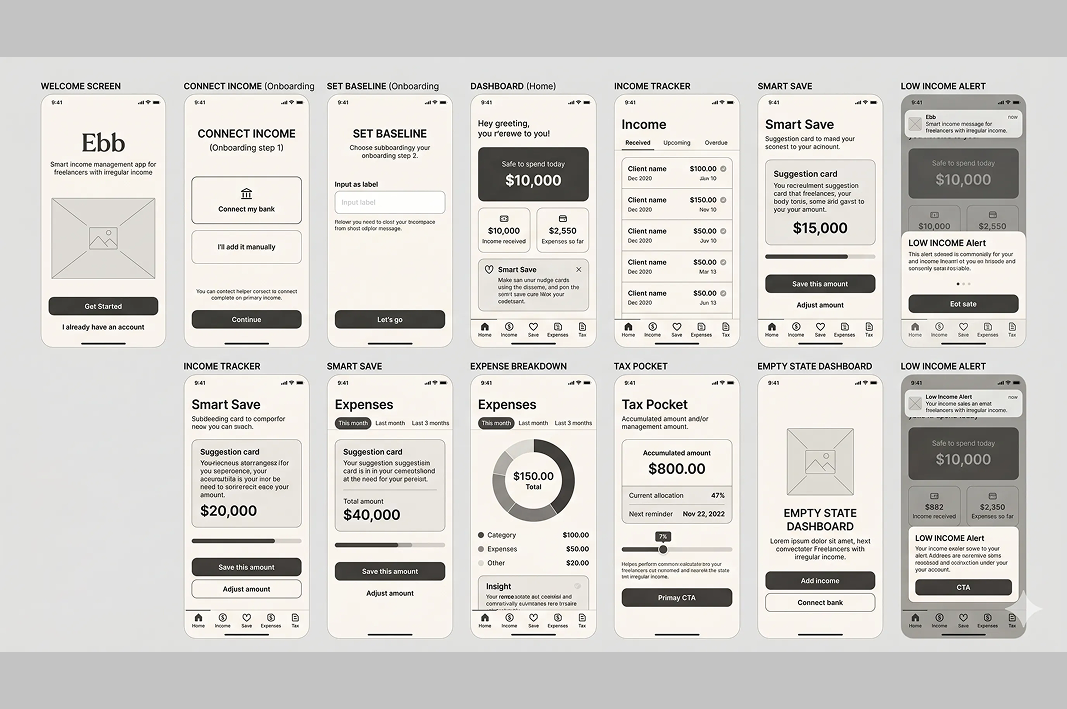
I used Uizard to generate rough wireframes from text descriptions of each screen. The AI produced functional starting points in minutes — saving hours of blank-canvas work.
What Uizard got right
Basic layout structures for the Dashboard and Income Tracker were close enough to use as direct references.
What I refined
The Safe-to-Spend number needed far more visual hierarchy than Uizard gave it — it's the hero of the entire app and needed to feel like it. I also restructured the onboarding flow — Uizard's version felt transactional, not welcoming.
The wireframes weren't the answer. They were the starting point that let me get to the answer faster.
Primary teal · Accent amber · Neutral greys · Semantic red/green for income/expense
Two weights of the chosen pairing — Regular for body, Semibold for numbers and CTAs

Safe-to-spend card · Income list item · Suggestion card · Tab bar · Empty state · Notification toast
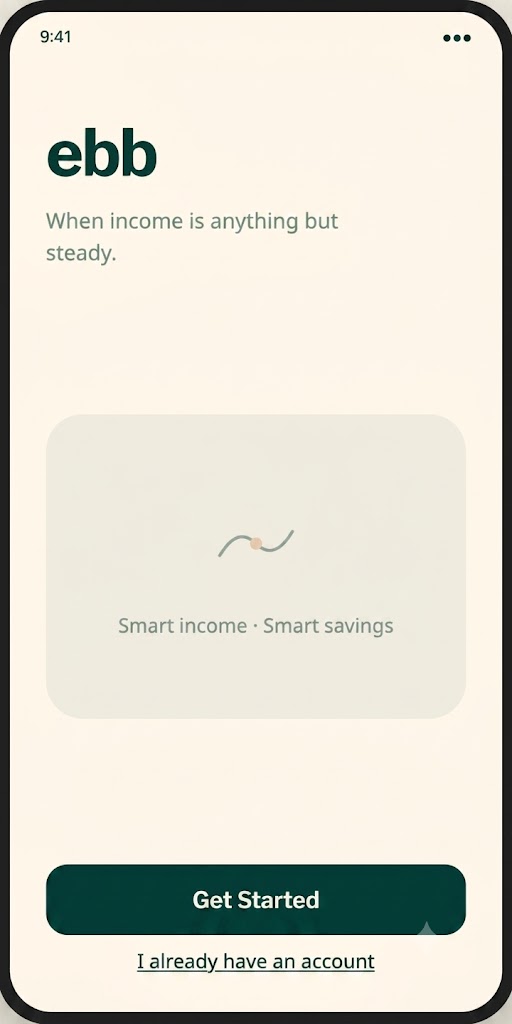
Welcome
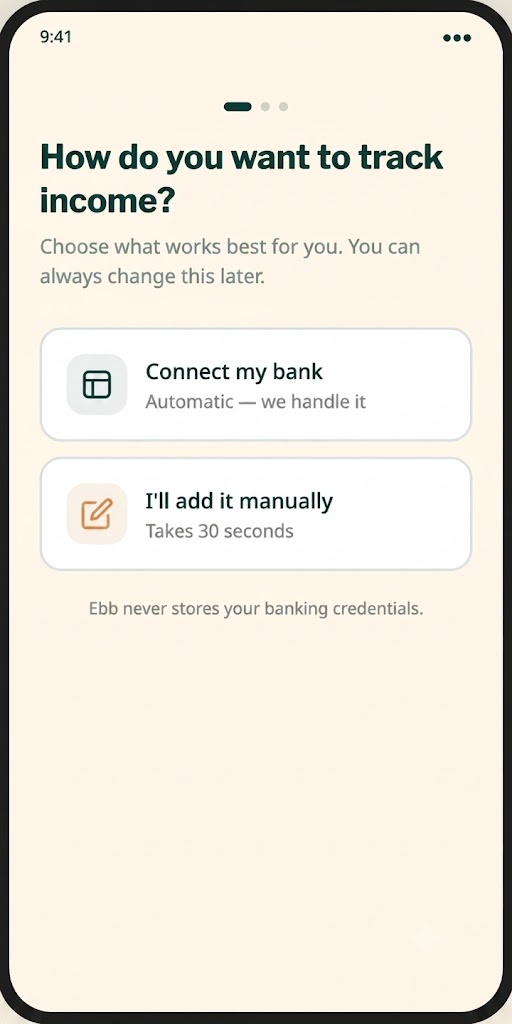
Connect Income
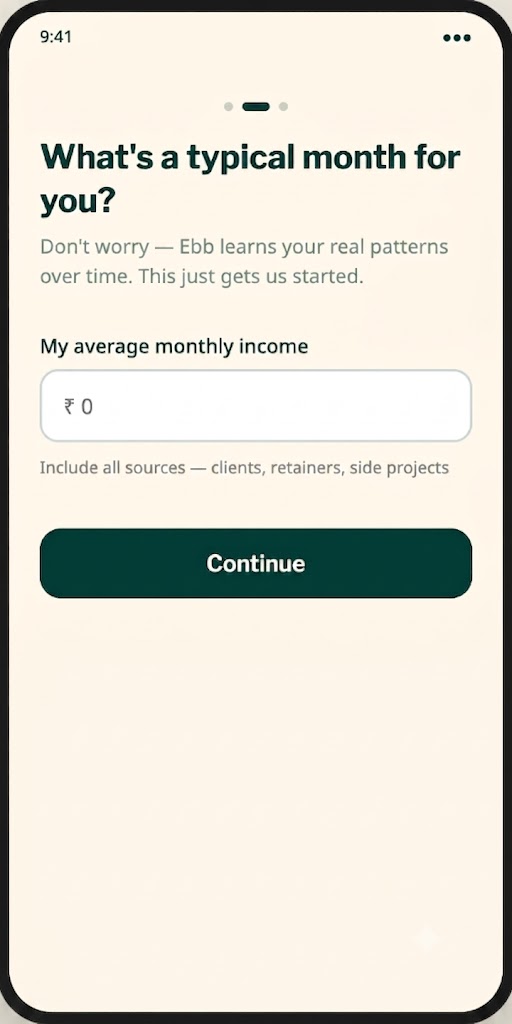
Set Baseline
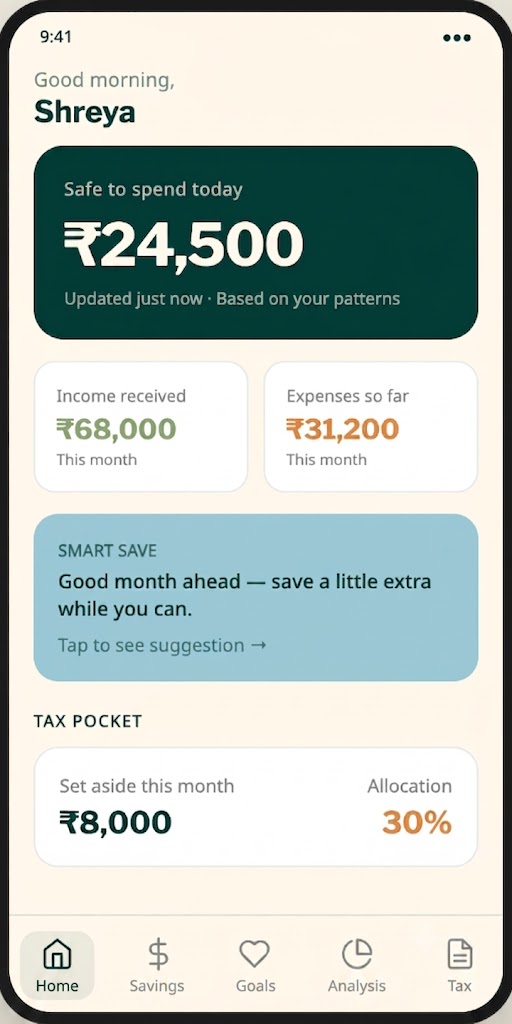
Dashboard
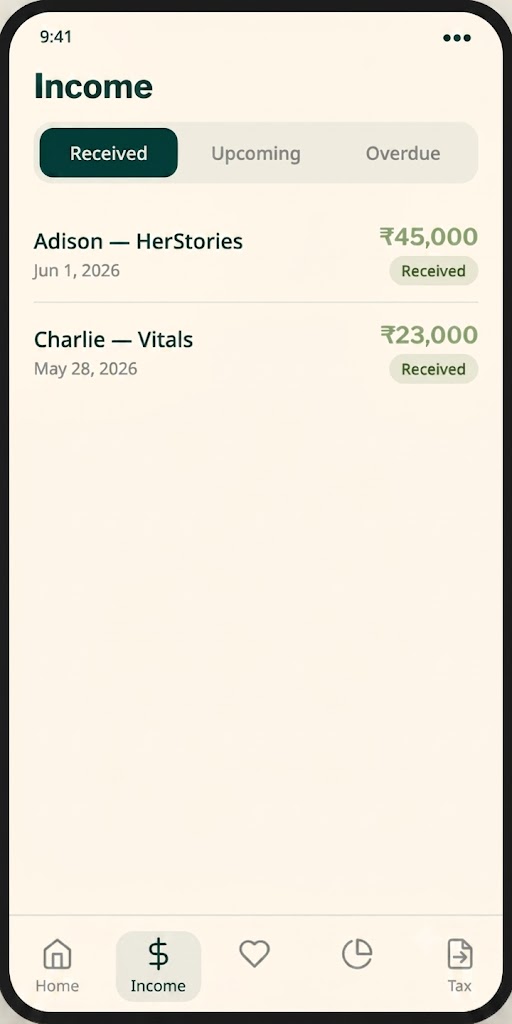
Income Tracker
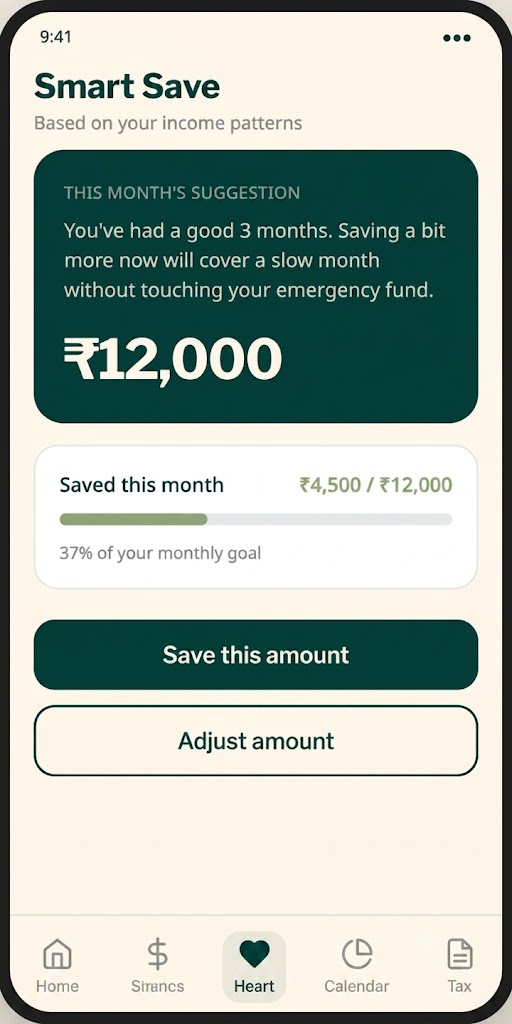
Smart Save
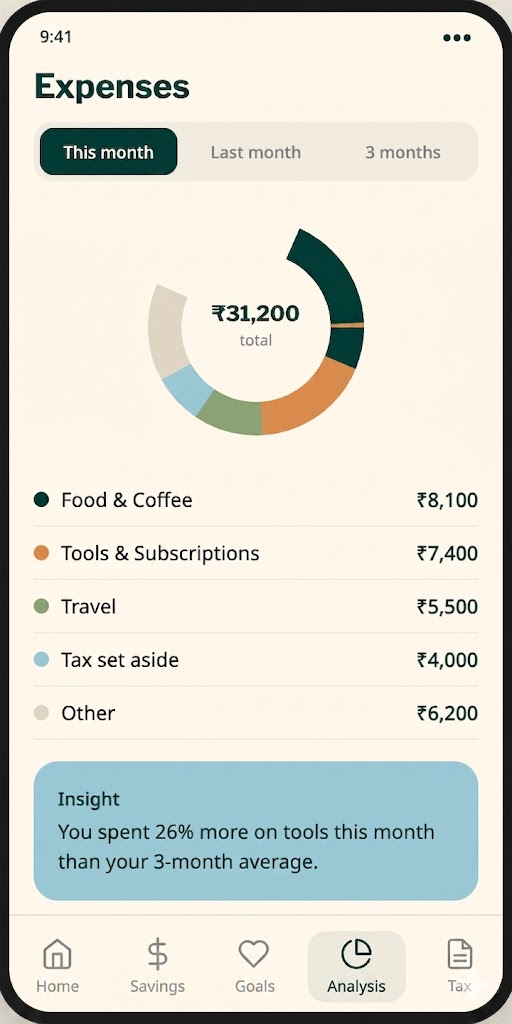
Expense Breakdown
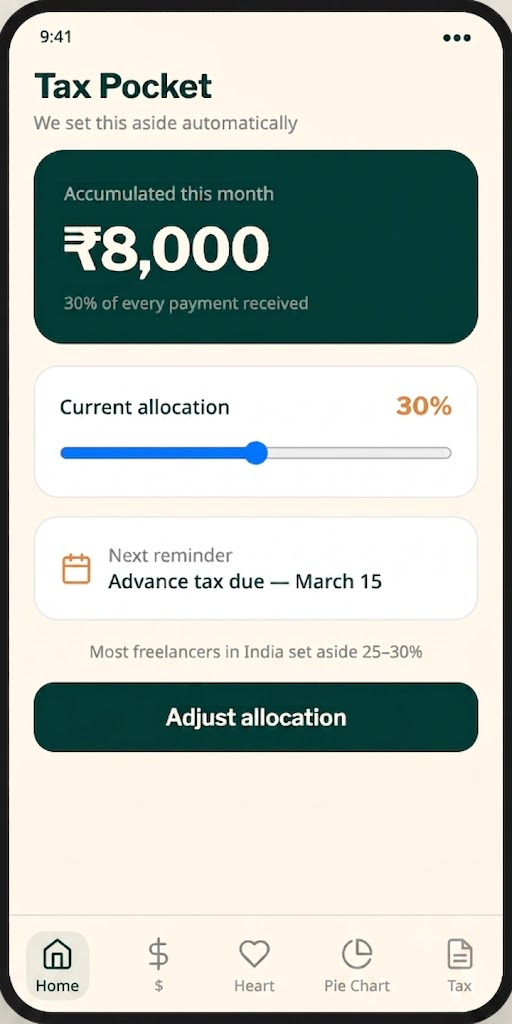
Tax Pocket
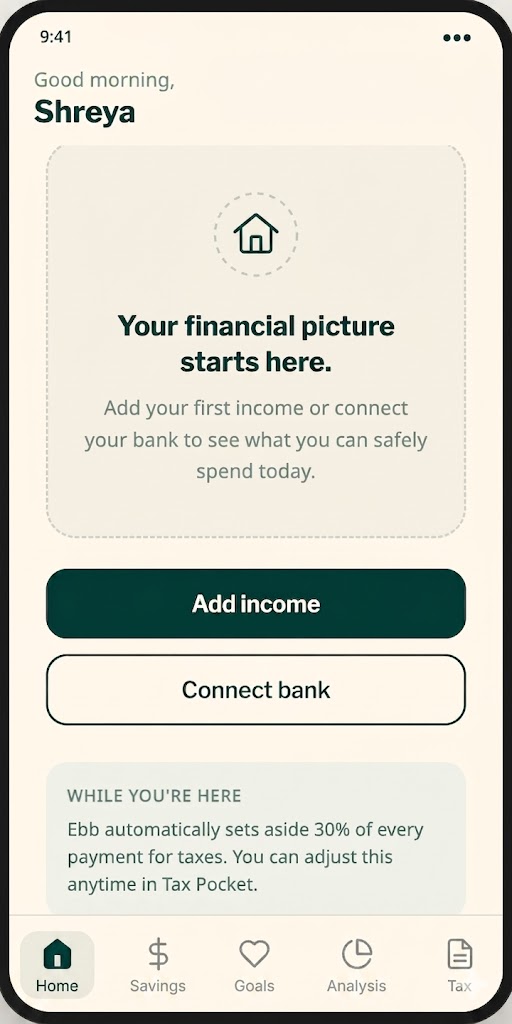
Empty State
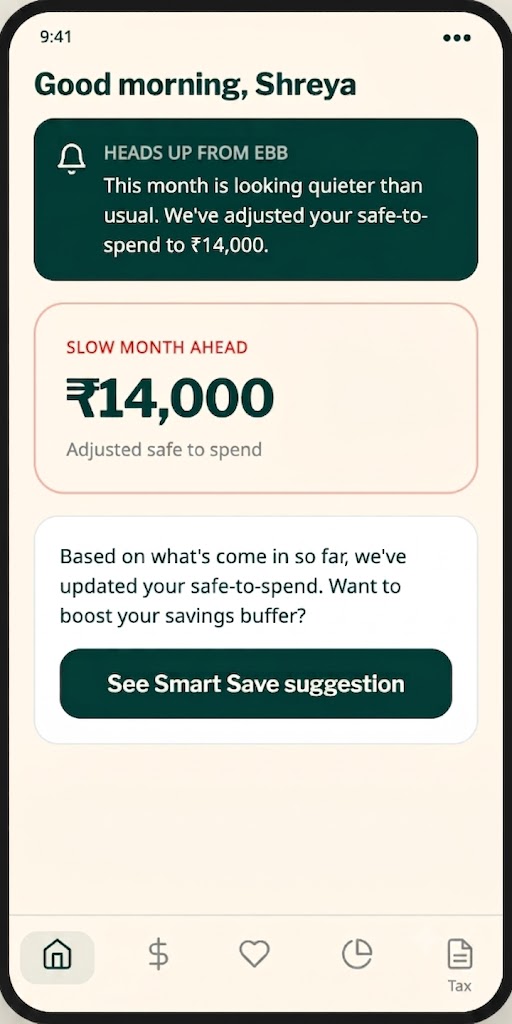
Low Income Alert
All microcopy written with Claude. A selection of the copy decisions that shaped the experience:
Safe-to-spend label
"Safe to spend today" (not "Available balance" — that's a bank term, not a freelance term)
Smart Save suggestion
"Based on your last 3 months, we suggest saving ₹12,000 this month — a bit more than usual while things are going well."
Low income alert
"Heads up — this month is looking quieter than usual. We've adjusted your safe-to-spend to help you stay comfortable."
Empty state — Dashboard
"Your financial picture starts here. Add your first income to see what you can safely spend."
Tax Pocket tooltip
"We set aside this percentage automatically every time income lands. You'll never be surprised by tax season again."
Onboarding — final step
"Ebb works best when you're honest with it. The more you add, the better your safe-to-spend number gets."
Research acceleration — competitor analysis and persona development that would have taken two days took two hours. The outputs weren't perfect but they were good enough to build on.
Starting points — Relume's sitemap and Uizard's wireframes gave me something to react to rather than starting from blank. Reacting is faster than originating.
Copy generation — Claude generated first drafts of every piece of microcopy. I refined them, but having something to edit rather than something to create from nothing saved significant time.
Color and typography — Khroma and FontJoy removed the paralysis of infinite options. Both tools gave me constrained, quality choices. I picked the best one. Done.
Emotional design — no AI tool understood that the safe-to-spend number needed to feel reassuring, not alarming. That hierarchy decision was entirely human.
What to cut — Relume suggested features I knew weren't right for this user. AI doesn't understand what to leave out. Restraint is a human skill.
The feeling — the difference between a dashboard that feels like a bank and one that feels like a friend is entirely in the details. Typography weight, number size, card spacing, color temperature. AI generated the ingredients. I cooked the meal.
A clickable prototype covering the core user flow:
Welcome → Connect Income → Dashboard → Income Tracker → Smart Save → Tax Pocket
Ebb is a concept product — designed to demonstrate AI-augmented design workflow in a real fintech context. It proved that a complete, polished mobile app can go from brief to prototype in 10 days when AI tools are used strategically at every stage.
The more interesting outcome: a clear, documented map of exactly where AI adds value in a design process — and where it doesn't. That map is more useful than any single screen.
Contact Me