
AI Tools Designed
User Role Types
Product Designer
Safal Partners is a US-based government contracting firm sitting on years of accumulated contract data, employee expertise records, and performance history. The problem: none of it was easily searchable or accessible. Finding answers required digging through documents manually — slow, inconsistent, and dependent on institutional memory.
The brief was to design an AI-powered internal platform that would make this knowledge instantly accessible to the right people — through natural language queries, not database searches.
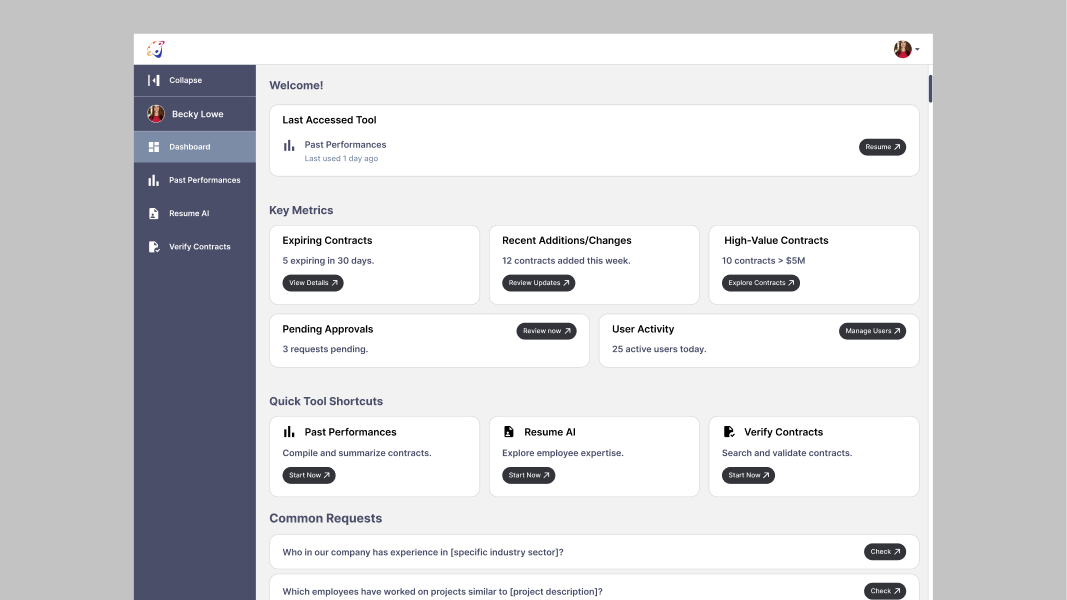
Safal AI is built around three core AI tools, each addressing a specific knowledge problem the firm faces daily:

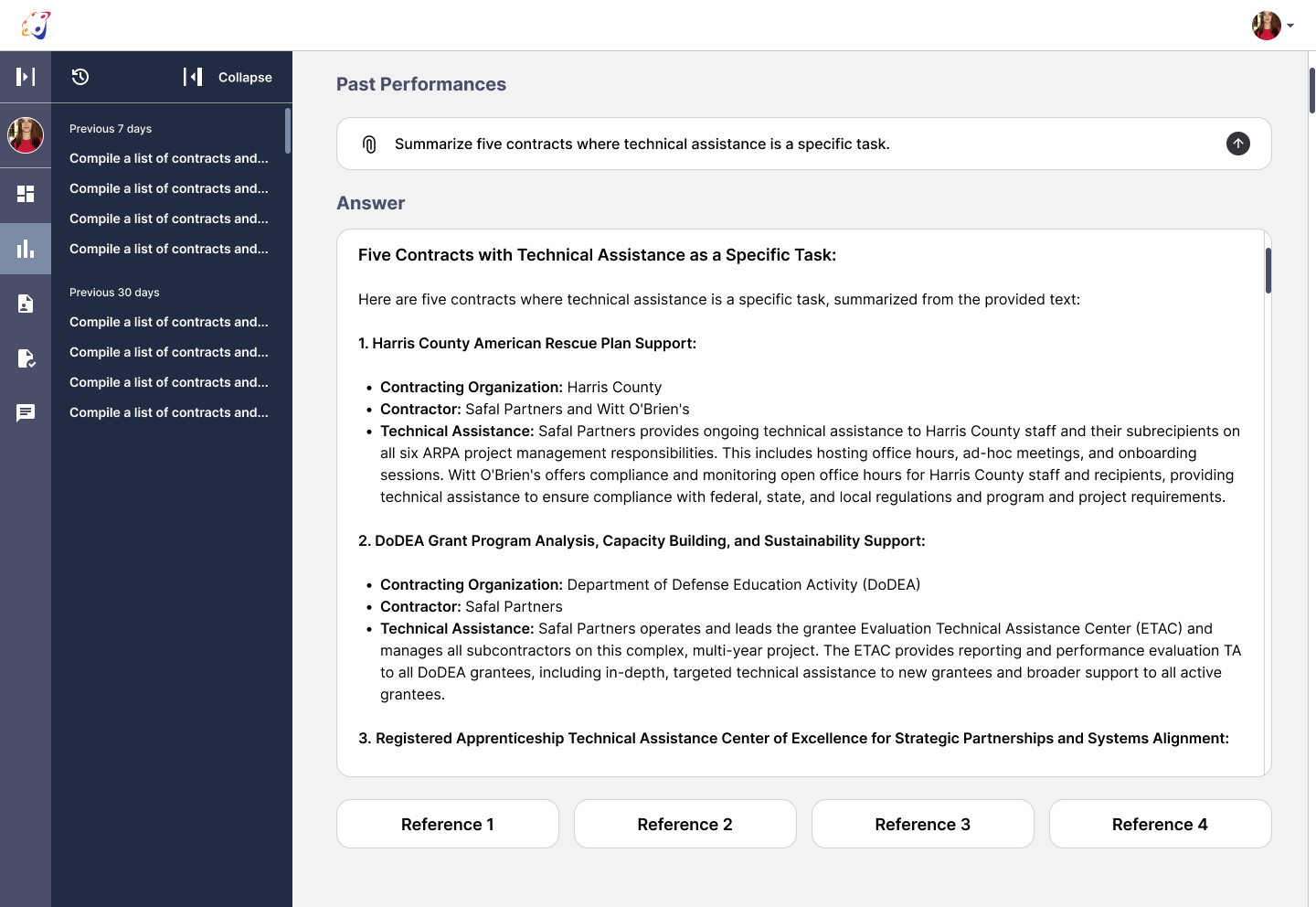
An AI that searches and summarizes government contracts. Ask it a question in plain English — "Summarize five contracts where technical assistance is a specific task" or "Compile a list of contracts where Safal was the subcontractor" — and it surfaces the relevant contracts with a structured answer.
Searches employee expertise across the organization. Ask "Who in our company has experience in a specific industry sector?" or "Which employees have worked on projects similar to this description?" and it finds the right people instantly — removing the reliance on who knows whom.
Searches and validates contract data — allowing users to cross-reference, verify, and confirm contract details without manually pulling documents.
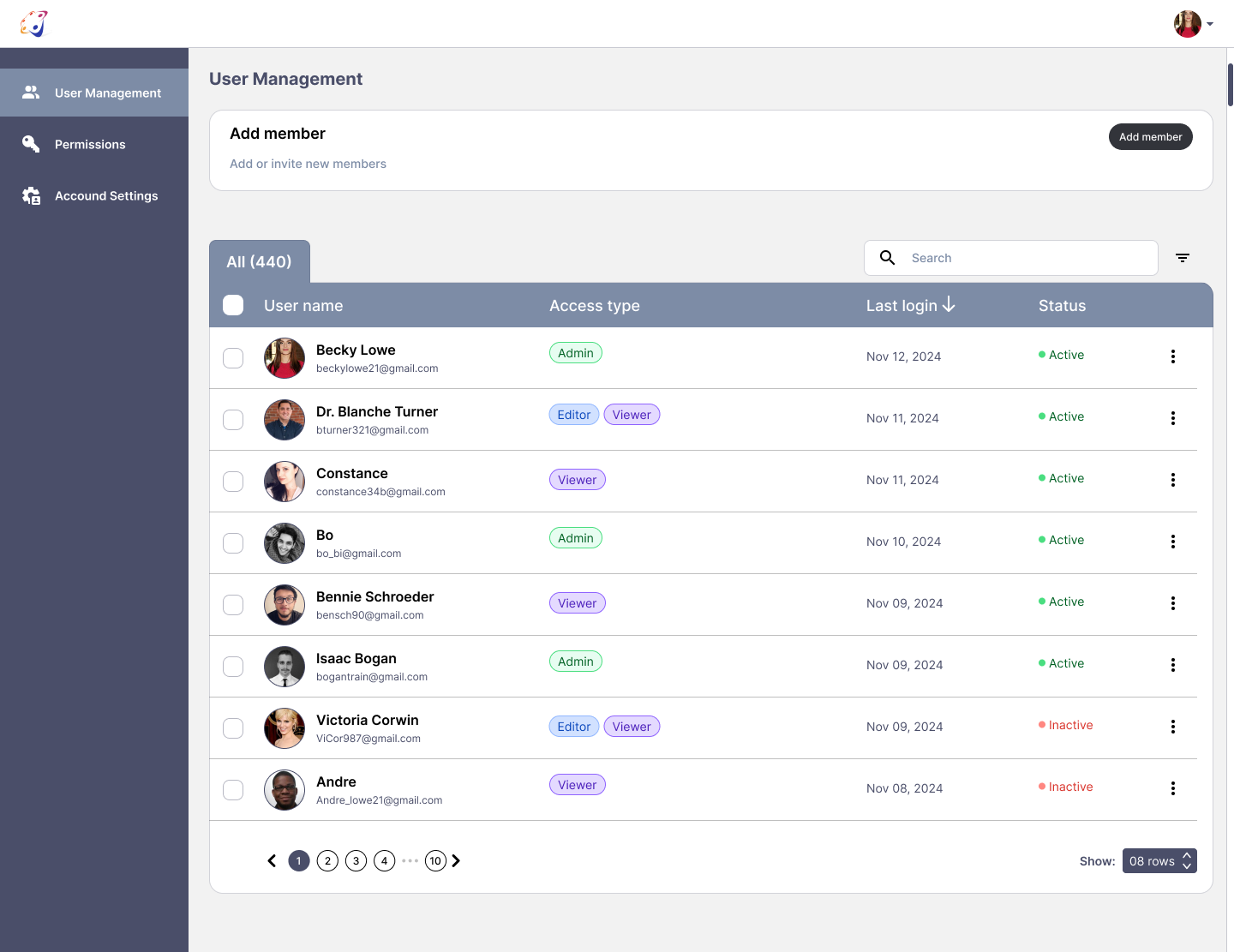
One of the core design challenges was that Safal AI serves three distinct user types — each with different levels of access and different needs:
Admin
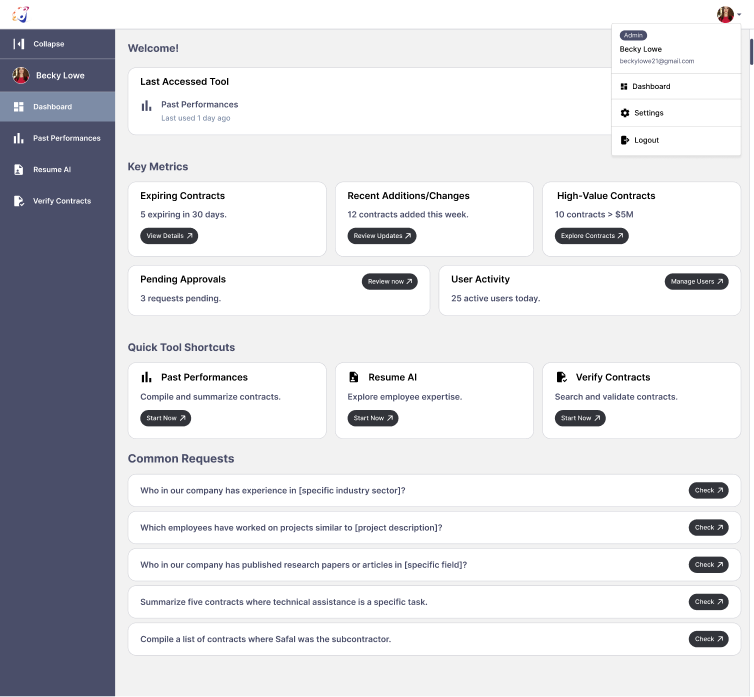
Full access to all three AI tools, user management, knowledge base editing, pending approvals, and account settings. Admins see the complete dashboard including user activity metrics and management controls.
Editor/Viewer
Access to AI tools with editing permissions but no user management capabilities.
Viewer
Read-only access to AI tools — can query and view results but cannot modify the knowledge base or manage users.
The interface adapts to each role — Admins see management controls, Viewers don't. The same platform, three different experiences, zero confusion about what each user can and can't do.
Each AI tool uses a chat-style interface — users type a natural language query and receive a structured answer. Query history is saved in a collapsible sidebar organized by time period (Previous 7 days, Previous 30 days) so users can revisit and build on previous searches. A loading state — "Fetching results, this might take a moment" — manages expectations during AI processing.
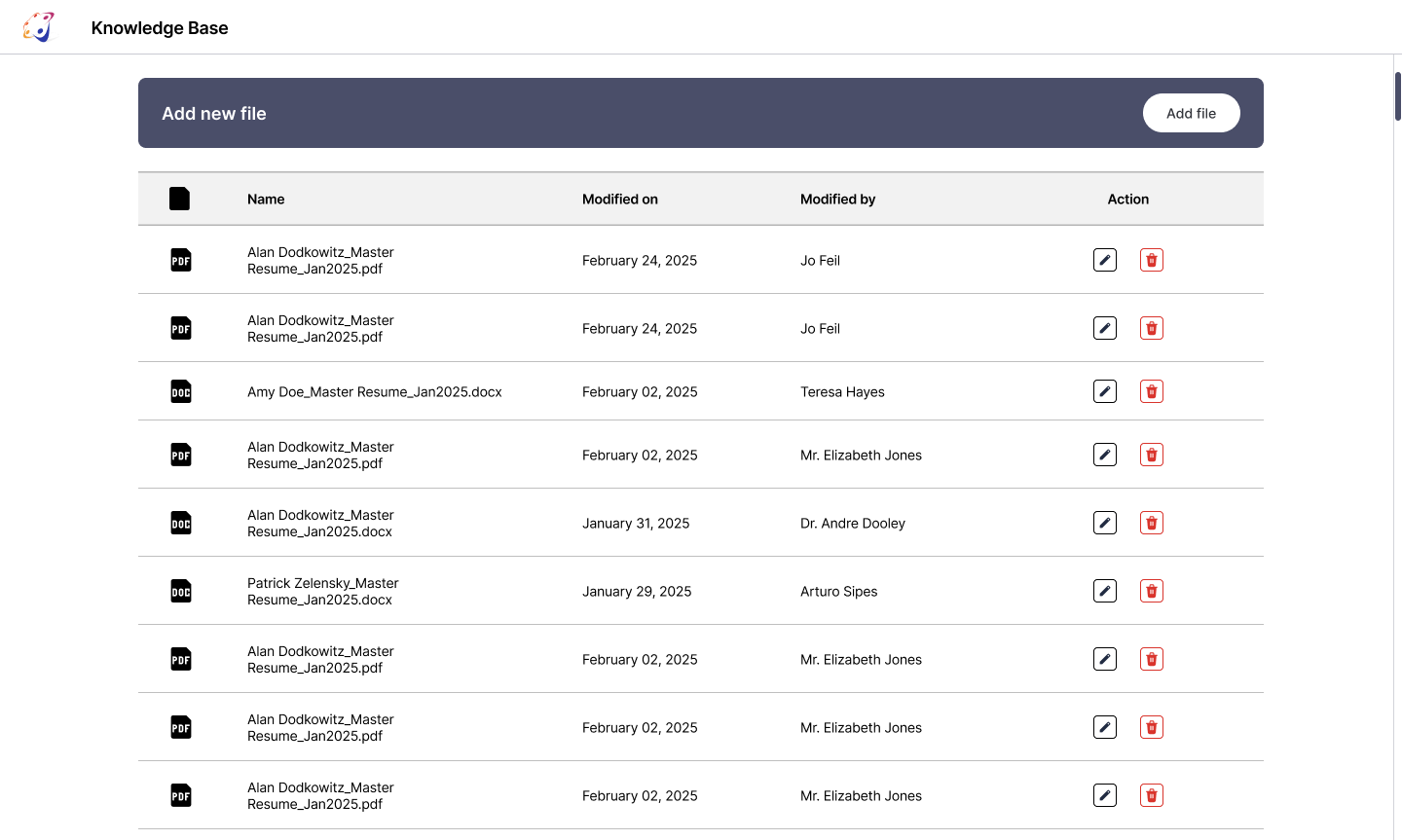
Beyond the three AI tools, I designed a Knowledge Base — a managed repository of documents and resources that feeds the AI's responses. Admins can add, edit, rename, and delete entries through a clean modal interface. This gives the Safal team control over what the AI knows and ensures responses stay accurate and current.
Admins can add new members by name or email, assign access types (Admin/Editor/Viewer), set tool-specific permissions, and manage active/inactive status — all from a single management panel. The permission system lets admins control access at the tool level: a user might have access to Past Performances but not Verify Contracts.
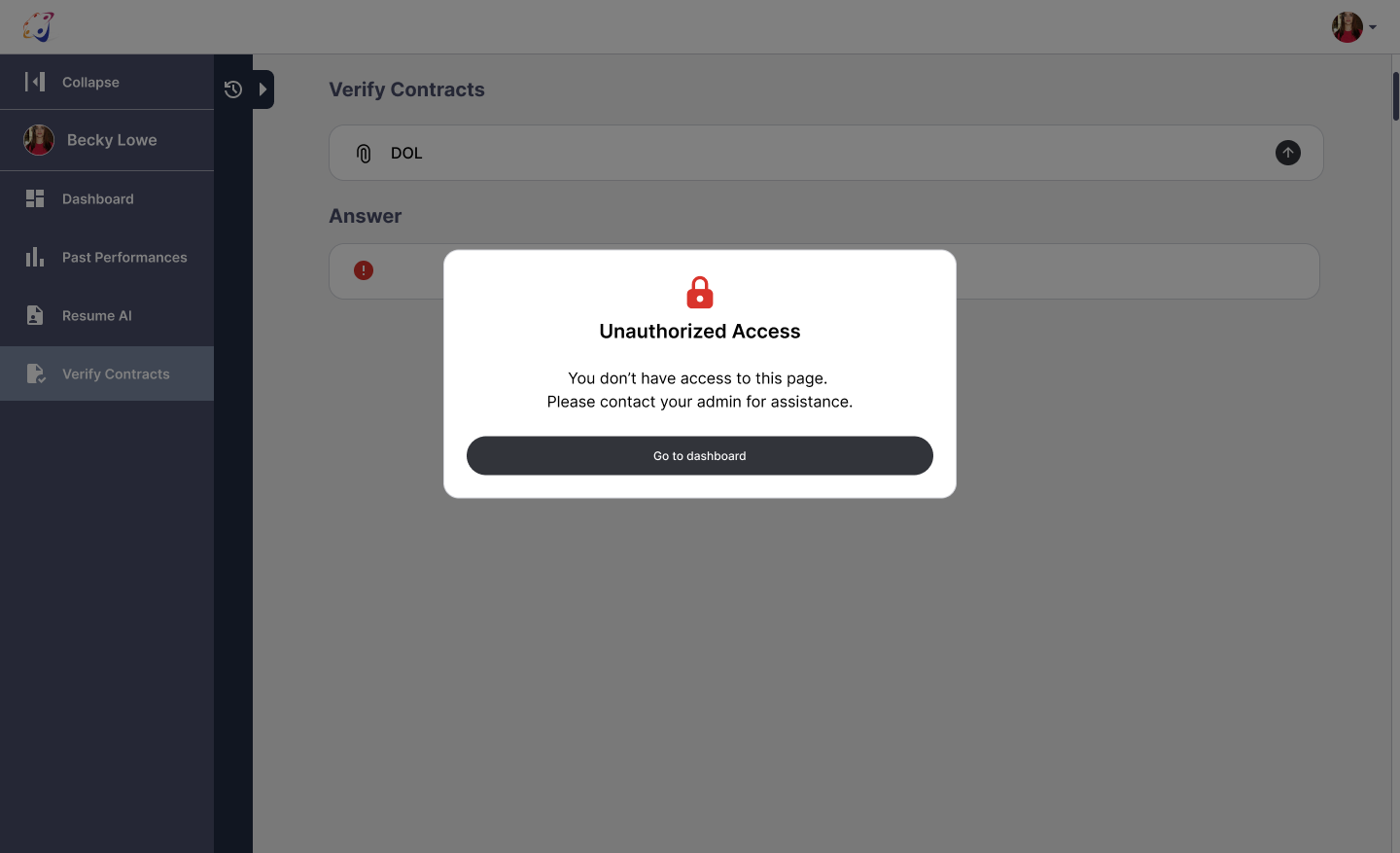
Login, registration, forgot password, reset password — every flow has empty, error, and success states. Invalid email, incorrect password, password strength requirements, confirm password mismatch, loading states, unauthorized access screens — nothing was left to chance. When something goes wrong, users always know exactly what happened and what to do next.
Dashboard
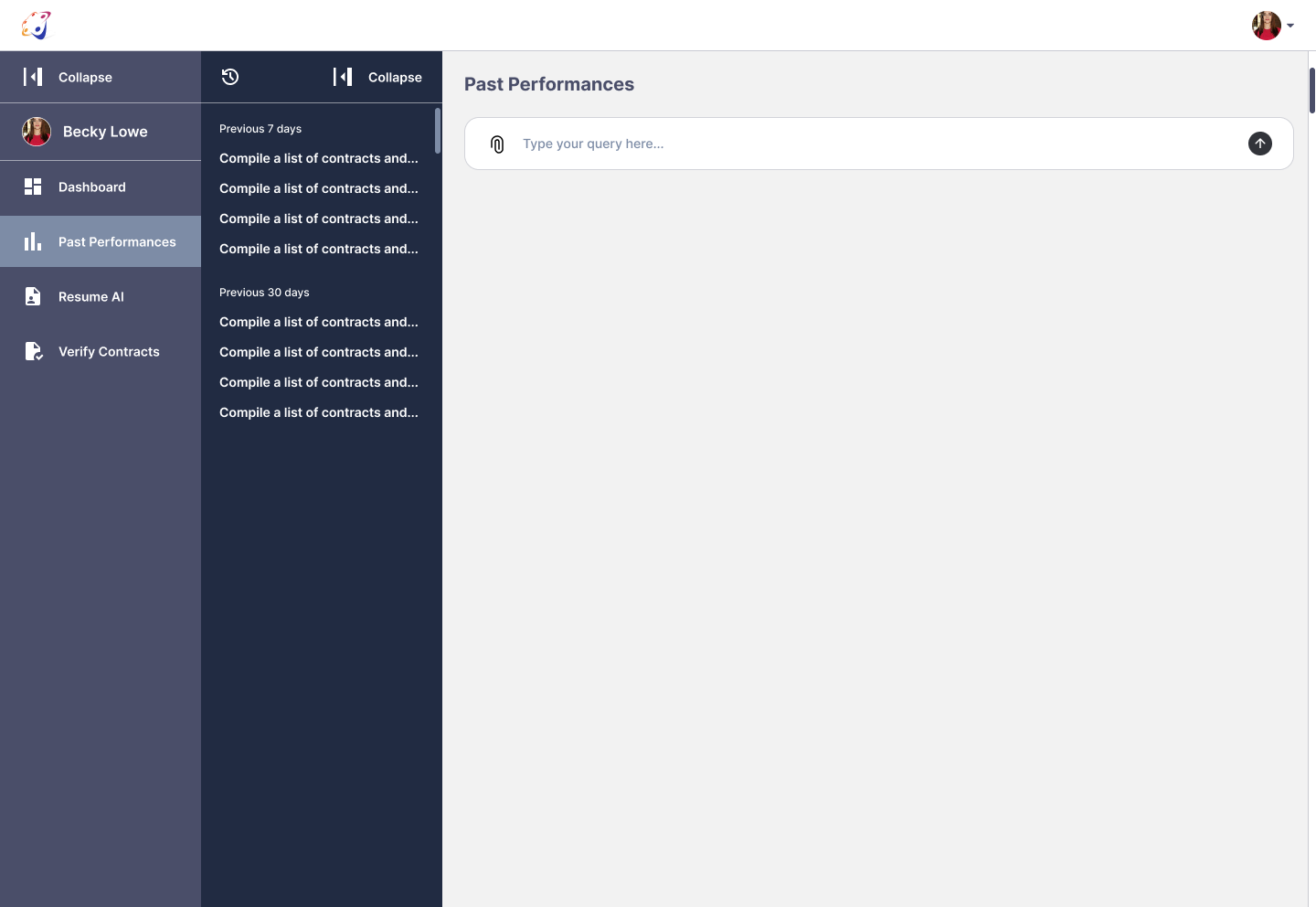
Past Performances — base state with query history sidebar open
Past Performances — answered state showing AI response
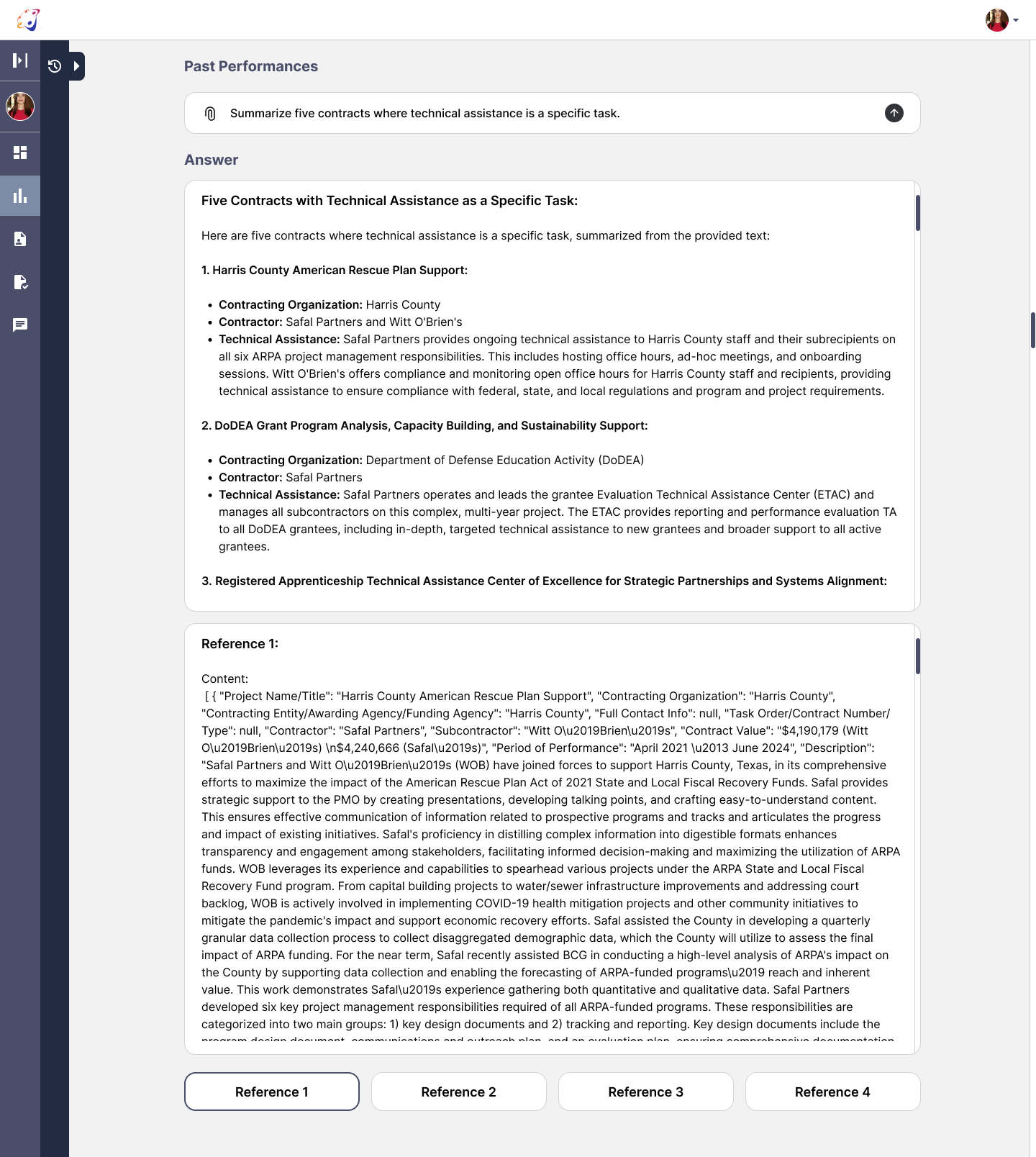
Past Performances — reference panel open showing source document
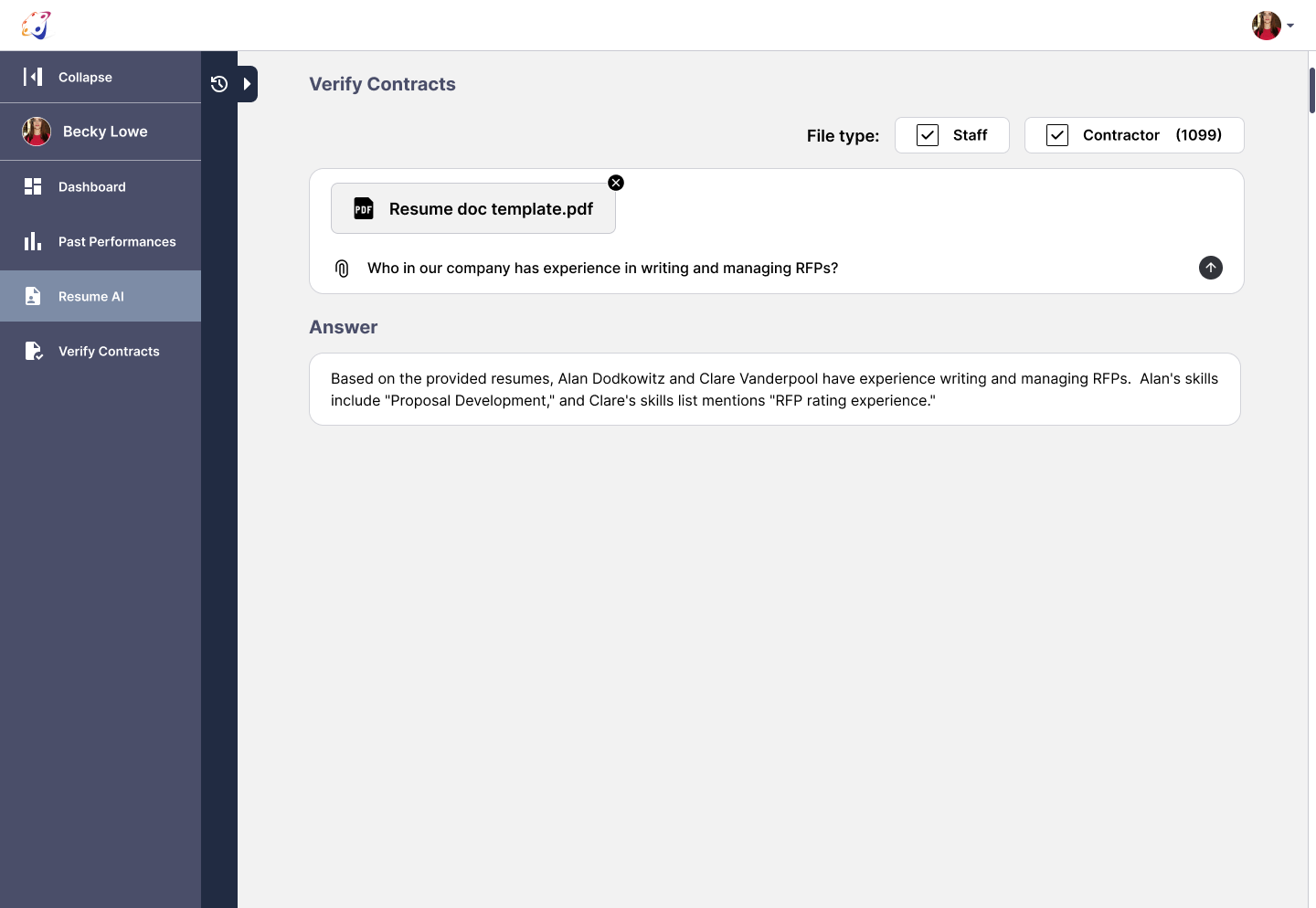
Resume AI tool
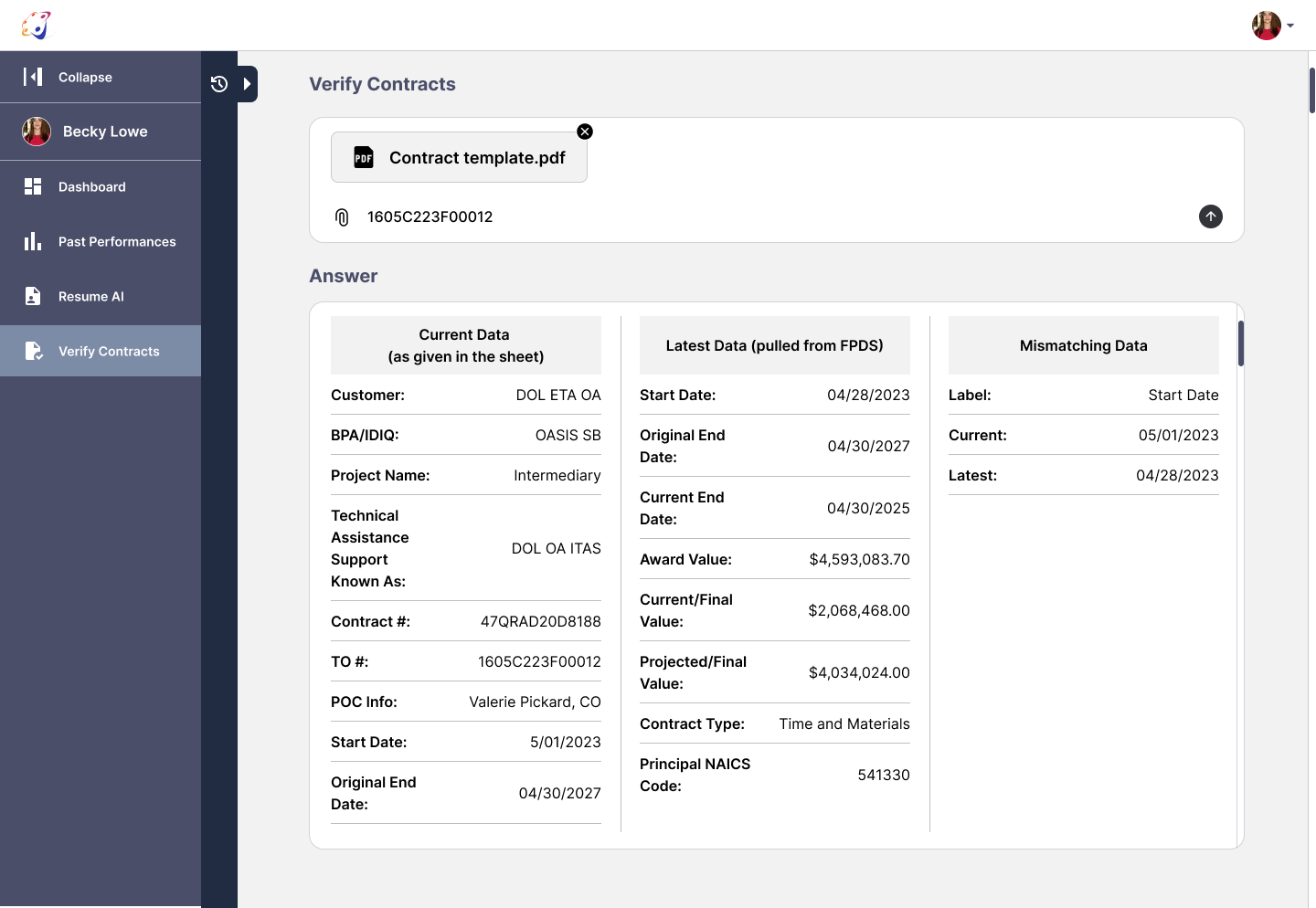
Verify Contracts tool
Knowledge Base — main view
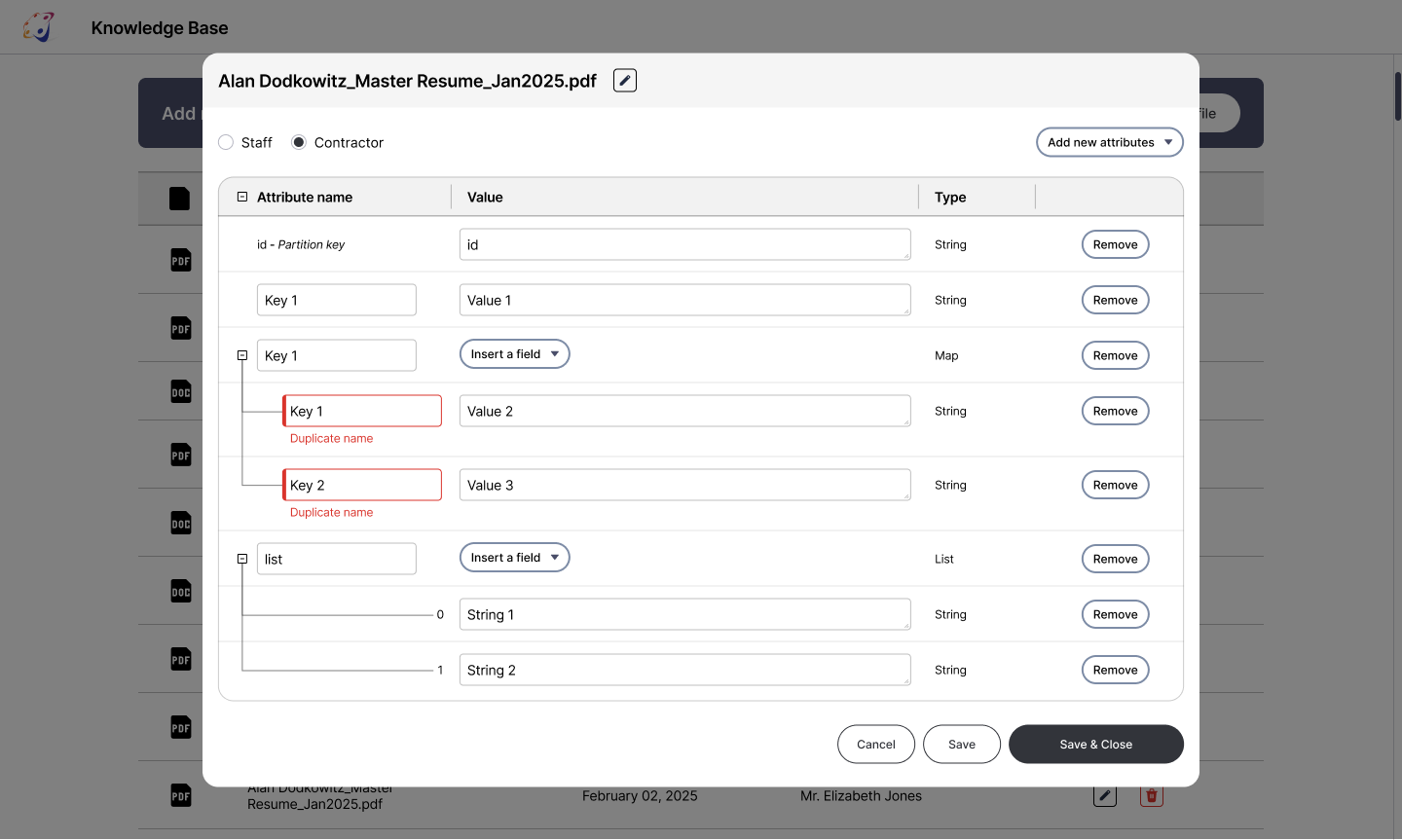
Knowledge Base — edit modal
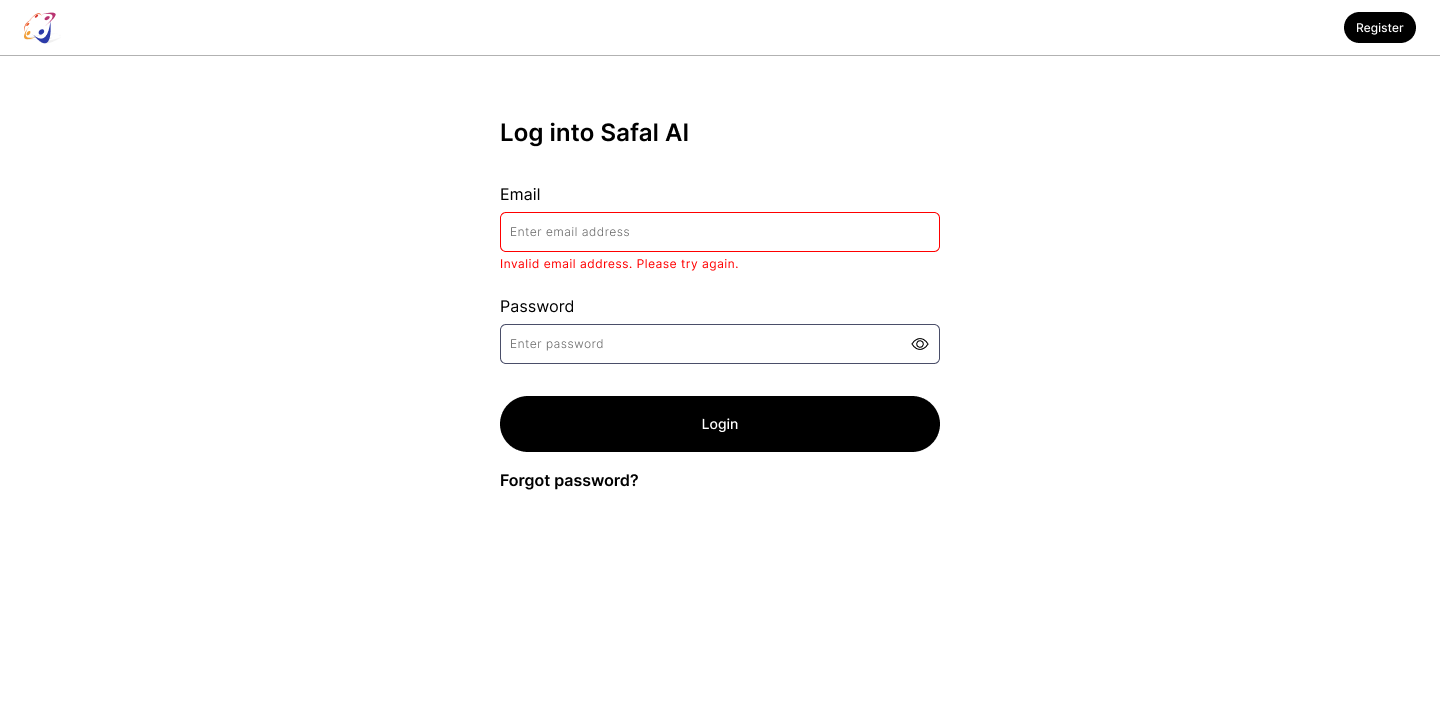
Login with error state
Contact Me